
OmniLift

Your Mac files,
straight to Google.

Just drop a file. OmniLift turns it into Google Sheets, Docs or Slides and opens it in your browser.

Coming soon to the Mac App Store Watch the video

macOS 14 or later · Apple silicon / Intel · Free for 3 files a day

How OmniLift works (1:30, in Japanese)

Features

Convert and save, in one step.

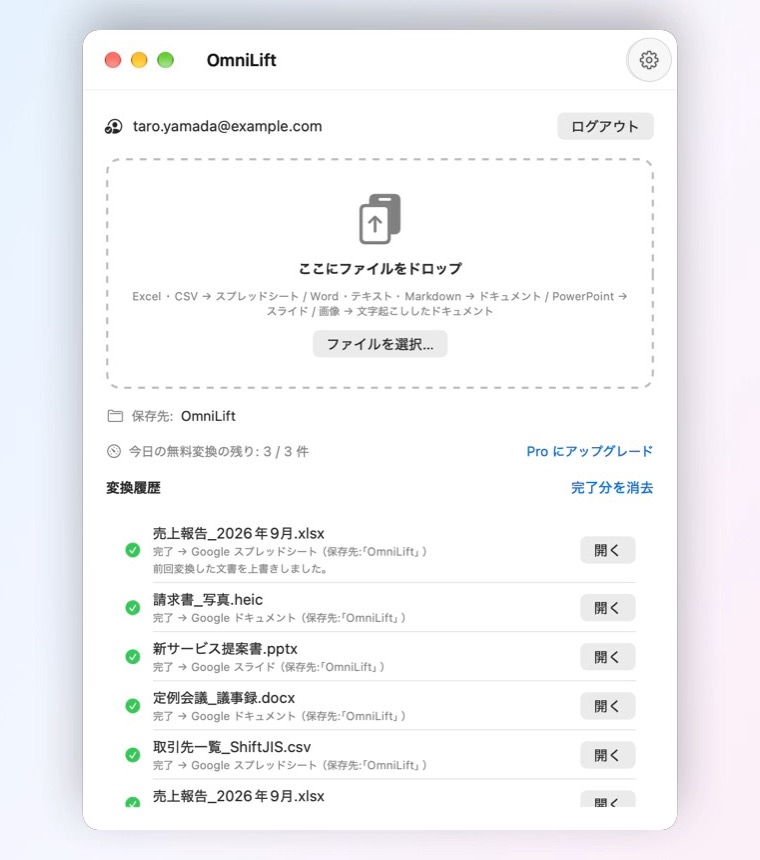
Just drop it. OmniLift uploads the file, converts it to a Google format and opens it in your browser. Drop several at once if you like.

  • Or use Open With > OmniLift in Finder
  • Make it the default app and just double-click
  • The same file updates the previous document, so the URL stays
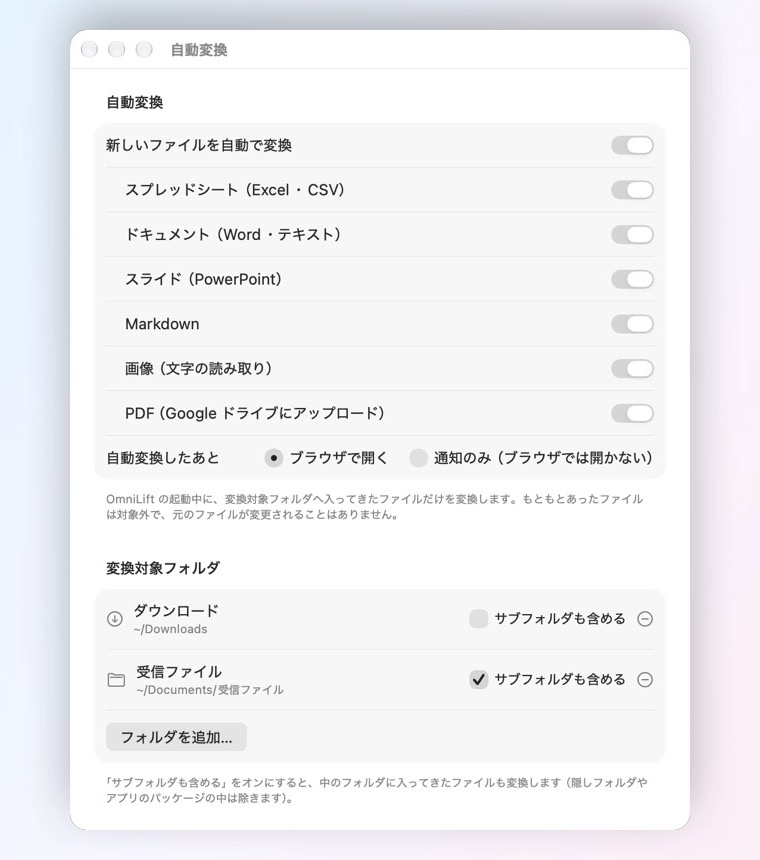
Put files in a folder. Done. New files that arrive in folders you choose, such as Downloads, are converted automatically.

  • Add several folders and include subfolders if you want
  • Files already there, or just saved again, are left alone
  • Lives in the menu bar and keeps working after you close the window

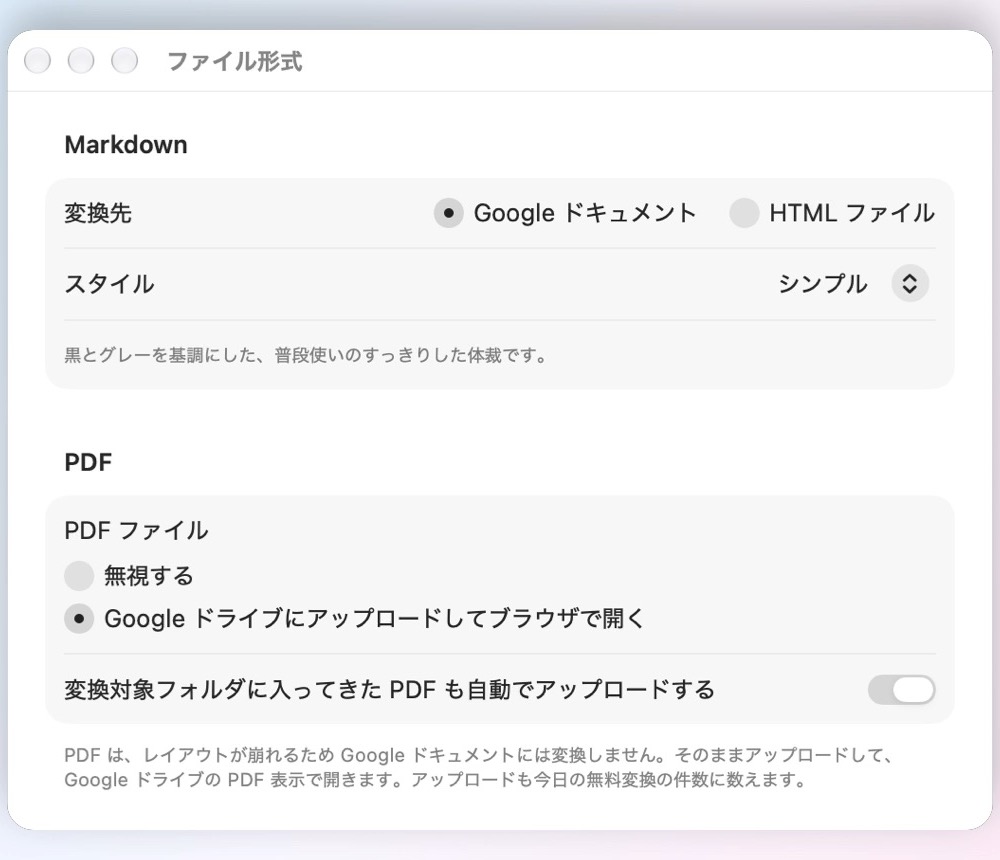
Just right for each format. Turn Markdown into Google Docs in one of 4 styles. Upload PDFs to Google Drive as they are.

  • CSV in Shift_JIS and other encodings without garbled text
  • Photos and screenshots become documents with the recognized text
  • Markdown can also become an HTML page saved on your Mac

Formats

Works with the files you use every day.

Excel · CSV · TSV · ODS

→ Google Sheets

Detects the text encoding so nothing gets garbled.

Word · RTF · Text · HTML

→ Google Docs

Headings and tables come along.

PowerPoint · ODP

→ Google Slides

Keeps the structure of your slides.

Markdown

→ Google Docs

Styled in one of 4 clean themes.

JPEG · PNG · HEIC and more

→ Google Docs

Reads the text in your images.

PDF

→ Google Drive

Uploaded as is, when enabled in Settings.

Your files go only to your Google Drive.

We never receive your files or account information. OmniLift asks only for access to the files it creates in your Drive. No ads, no tracking.

Read the Privacy Policy →

Pricing

Start for free.

Free

$0
  • Up to 3 files a day
  • Every feature included
  • Reopening an unchanged file doesn't count

OmniLift Pro

One-timepurchase
  • Unlimited conversions
  • Buy once, use forever
  • Restore your purchase on a new Mac

Requirements: macOS 14 or later and a Google Account with Google Drive (personal Gmail or Google Workspace).

Lighten up your files.

Coming soon to the Mac App Store Support